Best Study Apps for University Students (2026): 25 Apps to Study Smarter and Boost Your Grades
Introduction
Academic success isn't just about studying harder—it's about studying smarter. With the right study apps, university students can organise notes, manage deadlines, revise efficiently, improve concentration, and collaborate on group projects.
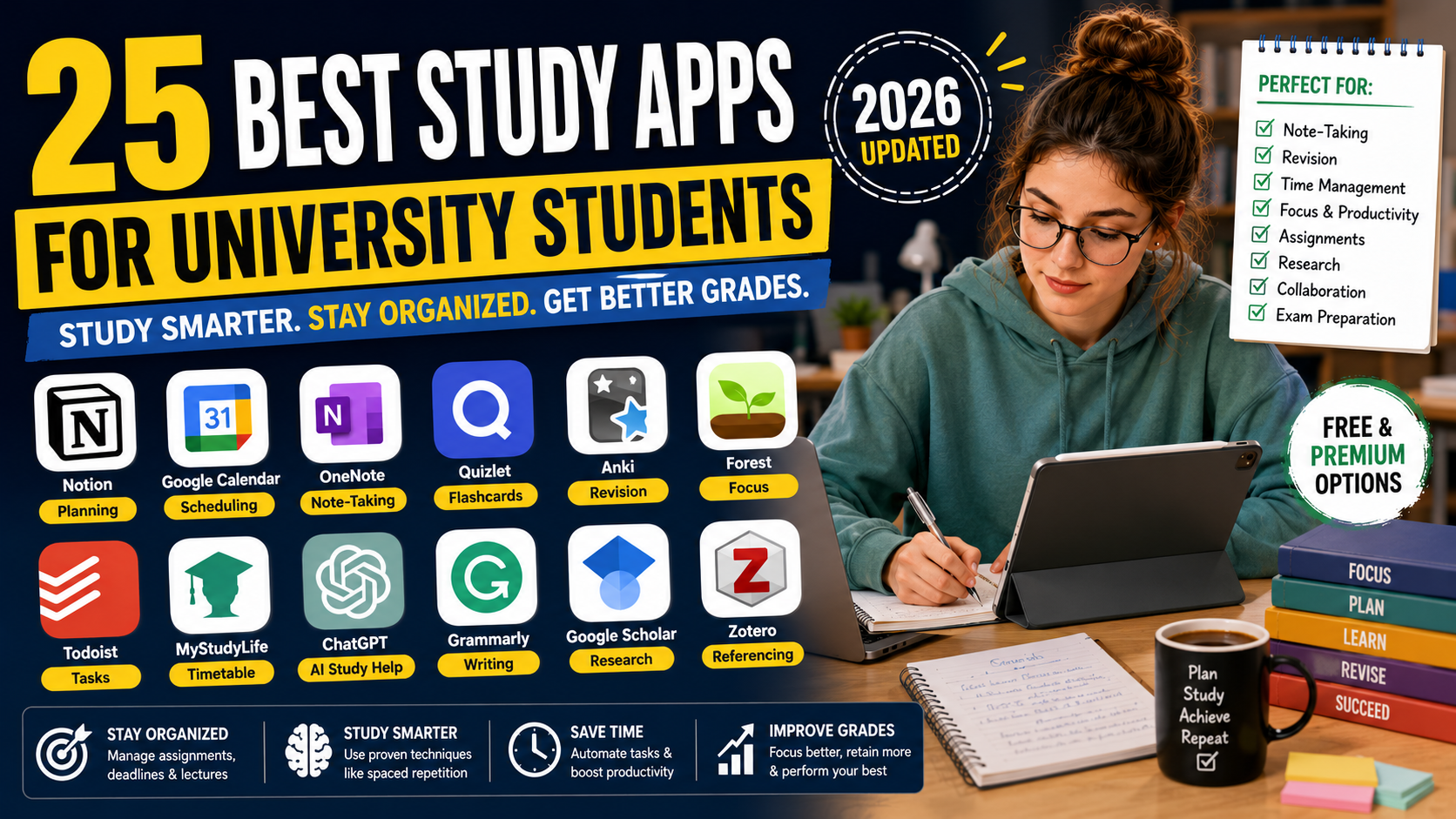
Whether you're preparing for exams, writing essays, completing a dissertation, or simply trying to stay organised, there's an app designed to make studying easier.
In this guide, we'll review the 25 best study apps for university students in 2026, comparing their features, pricing, advantages, and ideal use cases.
Quick Comparison Table
App | Best For | Free Plan | Platforms |
|---|---|---|---|
Notion | Study planning | ✅ | Web, Windows, macOS, iOS, Android |
Google Calendar | Scheduling | ✅ | Web, iOS, Android |
Microsoft OneNote | Note-taking | ✅ | Windows, macOS, iOS, Android |
Quizlet | Flashcards | ✅ | Web, iOS, Android |
Anki | Spaced repetition | ✅ (Desktop) | Windows, macOS, Linux, Android, iOS |
Forest | Focus sessions | Paid/Free options | iOS, Android |
Todoist | Task management | ✅ | Web, Desktop, Mobile |
MyStudyLife | Timetable planning | ✅ | Web, iOS, Android |
Grammarly | Grammar checking | ✅ | Web, Desktop, Mobile |
ChatGPT | Brainstorming & explanations | ✅ | Web, iOS, Android |
Why Study Apps Matter
The right study apps can help you:
Stay organised throughout the semester.
Track coursework and assignment deadlines.
Improve concentration during study sessions.
Revise more effectively.
Manage research projects.
Reduce procrastination.
Collaborate with classmates.
Increase productivity.
Best Study Planning Apps
1. Notion
Best for: All-in-one study planning
Key features:
Assignment trackers
Study dashboards
Revision planners
Database templates
Note organisation
Pros
Highly customisable
Excellent free plan
Great for dissertation planning
Cons
Takes time to learn.
2. Google Calendar
Perfect for scheduling:
Lectures
Deadlines
Revision sessions
Exams
Personal commitments
3. MyStudyLife
Designed specifically for students to manage timetables, coursework, and exams.
Best Note-Taking Apps
4. Microsoft OneNote
Ideal for:
Lecture notes
Handwritten annotations
Research organisation
Multimedia notes
5. Evernote
Excellent for storing:
PDFs
Images
Research notes
Web clippings
6. Obsidian
Popular among postgraduate students for linking ideas and creating interconnected knowledge bases.
Best Revision Apps
7. Quizlet
Create digital flashcards, quizzes, and practice tests.
8. Anki
Uses spaced repetition to improve long-term memory retention, making it especially useful for medicine, law, and language learning.
9. Brainscape
Adaptive flashcard app that helps reinforce difficult concepts.
Best Focus Apps
10. Forest
Encourages distraction-free study by rewarding focused work sessions.
11. Focus To-Do
Combines the Pomodoro Technique with task management.
12. Tide
Offers focus timers, ambient sounds, and mindfulness features.
Best Productivity Apps
13. Todoist
Organise assignments with due dates, priorities, and recurring tasks.
14. Trello
Visual Kanban boards help manage coursework and group projects.
15. Clockify
Track how much time you spend studying, researching, and writing.
Best AI Study Apps
16. ChatGPT
Useful for:
Explaining concepts
Brainstorming essay ideas
Creating revision questions
Summarising information
Improving writing clarity
Always verify AI-generated information and follow your university's AI policy.
17. Perplexity
Provides AI-generated answers with linked sources for further reading.
18. Gemini
Helps organise information, generate study plans, and explain complex topics.
Best Collaboration Apps
19. Google Docs
Ideal for group assignments with real-time collaboration.
20. Microsoft Teams
Useful for online meetings, file sharing, and communication.
21. Slack
Suitable for managing student societies, project teams, and collaborative coursework.
Best Reading & Research Apps
22. Google Scholar
Search millions of scholarly articles and academic publications.
23. Zotero
Store references, organise PDFs, and generate citations.
24. Mendeley
Manage research papers and collaborate with other researchers.
Bonus App
25. Canva
Create:
Presentations
Academic posters
Infographics
Study diagrams
Best Apps by Category
Category | Best App |
|---|---|
Overall | Notion |
Planning | Google Calendar |
Note-Taking | OneNote |
Flashcards | Quizlet |
Memory Retention | Anki |
Focus | Forest |
Productivity | Todoist |
AI Study Support | ChatGPT |
Research | Google Scholar |
Referencing | Zotero |
How to Choose the Right Study App
Choose apps based on your study style:
Need better organisation? → Notion
Struggle with deadlines? → Google Calendar
Want better notes? → OneNote
Revising for exams? → Quizlet or Anki
Easily distracted? → Forest
Working on a dissertation? → Zotero + Notion
Need AI support? → ChatGPT
Tips for Using Study Apps Effectively
Avoid downloading too many apps at once.
Choose a small set that fits your workflow.
Schedule regular study sessions.
Sync apps across all your devices.
Review progress weekly.
Back up important notes in cloud storage.
Final Thoughts
The best study apps help students stay organised, manage their time effectively, and make learning more efficient. Rather than relying on a single app, build a study system that combines planning, note-taking, revision, research, and productivity tools.
For most university students, a combination of Notion, Google Calendar, OneNote, Quizlet, Forest, Todoist, Google Scholar, and Zotero provides a strong foundation for academic success. Review your workflow regularly and adapt your toolkit as your coursework and study habits evolve.
Frequently Asked Questions
Everything you need to know about our services
Related Posts

Best Apps for Dissertation Writing (2026): 25 Essential Tools Every Student Should Know

Best AI Tools for University Students (2026 Complete Guide)
