Best AI Tools for University Students (2026 Complete Guide)
Introduction
Artificial intelligence (AI) has transformed the way university students learn, research, write, organise, and collaborate. From generating study plans and summarising academic papers to improving grammar and creating presentations, AI-powered tools are becoming an essential part of higher education.
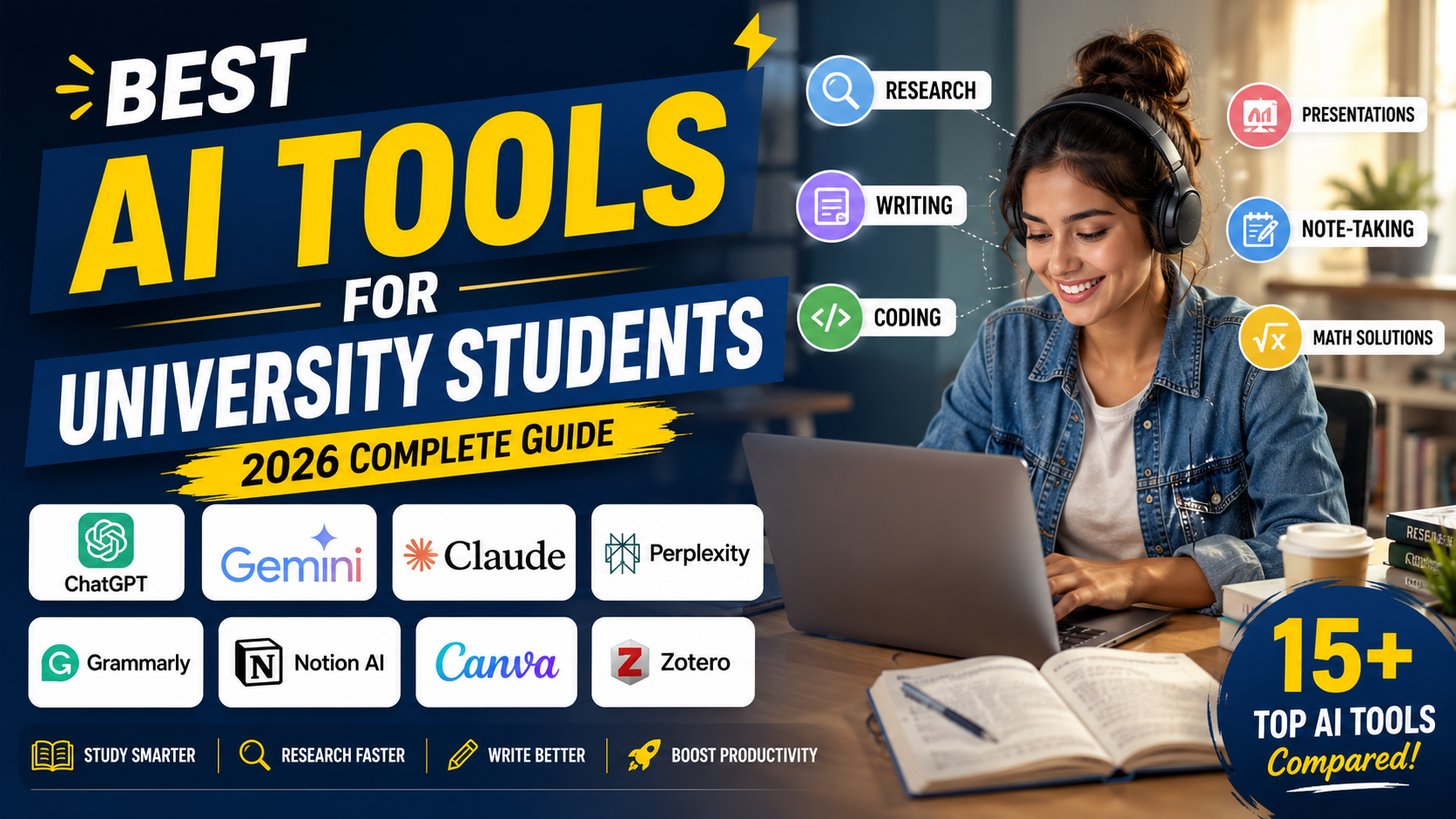
However, using AI effectively is about enhancing your learning—not replacing it. Universities increasingly encourage students to use AI responsibly while maintaining academic integrity, critical thinking, and original work.
This comprehensive guide reviews the best AI tools for university students, explains their strengths and limitations, and shows how each tool can support different stages of the academic journey.
What Are AI Tools?
AI tools are software applications that use machine learning and natural language processing to perform tasks that normally require human intelligence.
For students, AI tools can help with:
Research
Brainstorming ideas
Grammar checking
Note-taking
Coding
Mathematical problem solving
Citation management
Presentation design
Time management
Rather than replacing learning, these tools can make studying more efficient and organised.
Benefits of AI for University Students
When used responsibly, AI tools can help students:
Save time on repetitive tasks
Organise research efficiently
Improve writing quality
Generate study schedules
Understand difficult concepts
Summarise lengthy academic papers
Enhance productivity
Reduce administrative workload
AI allows students to spend more time analysing information instead of managing routine tasks.
Responsible Use of AI in Higher Education
Most universities now permit certain forms of AI assistance, but students remain responsible for submitting original work.
Good practice includes:
Using AI for brainstorming rather than writing entire assignments.
Verifying AI-generated information with reliable academic sources.
Following your university's AI policy.
Citing AI tools where required.
Never submitting AI-generated content as your own if prohibited.
AI should complement your learning, not replace independent thinking.
1. ChatGPT
ChatGPT is one of the most versatile AI assistants available to students.
It can help with:
Explaining difficult concepts
Brainstorming essay ideas
Creating study plans
Summarising information
Improving writing
Practising interview questions
Learning programming
Drafting outlines
Advantages
Easy to use
Fast responses
Supports multiple subjects
Excellent for explanations
Strong writing assistance
Limitations
Can occasionally provide inaccurate information
Requires fact-checking
Should not replace academic research
Best for: General academic support across all disciplines.
2. Google Gemini
Google Gemini integrates AI with Google's ecosystem, making it particularly useful for students already using Google Workspace.
Students can:
Summarise documents
Generate study notes
Draft emails
Organise projects
Analyse uploaded files
Assist with presentations
Advantages
Excellent integration with Google Docs and Drive
Strong multimodal capabilities
Helpful for collaborative work
Best for
Students using Google Workspace throughout their studies.
3. Claude
Claude focuses on thoughtful responses, detailed explanations, and long-document analysis.
It performs well when:
Reviewing research papers
Explaining complex topics
Analysing reports
Editing academic writing
Working with lengthy documents
Advantages
Excellent contextual understanding
Detailed explanations
Strong academic writing support
Best for
Research-heavy university assignments.
4. Microsoft Copilot
Microsoft Copilot integrates directly with Microsoft 365 applications.
Students can use it within:
Word
Excel
PowerPoint
Outlook
Teams
It assists with:
Drafting reports
Creating presentations
Summarising documents
Data analysis
Email writing
Advantages
Seamless Microsoft integration
Productivity-focused
Saves time on routine tasks
Best for
Students using Microsoft Office daily.
5. Perplexity AI
Perplexity AI combines conversational AI with real-time web search.
Unlike many chatbots, it typically provides linked sources for its answers, making it valuable for starting research.
Students can use it to:
Explore unfamiliar topics
Find recent information
Discover academic sources
Compare viewpoints
Generate research questions
Advantages
Source-backed responses
Excellent for preliminary research
Fast information retrieval
Best for
Research and literature exploration.
6. Grammarly
Although primarily known as a grammar checker, Grammarly now includes AI-powered writing assistance.
Features include:
Grammar correction
Spelling checks
Clarity suggestions
Tone analysis
Vocabulary improvements
It helps students produce clearer, more professional assignments.
Best for
Proofreading essays, reports, and dissertations.
7. QuillBot
QuillBot offers AI-powered writing support through:
Grammar checking
Paraphrasing
Summarising
Citation assistance
Students should always review paraphrased content to ensure it accurately reflects the original meaning and complies with academic integrity requirements.
Best for
Editing and refining academic writing.
8. Notion AI
Notion has become one of the most popular productivity platforms for university students. Its AI features make it even more useful for organising coursework and managing projects.
What Notion AI Can Do
Summarise lecture notes
Generate study plans
Create assignment outlines
Organise research
Brainstorm essay ideas
Draft meeting notes
Create task lists
Students can build an entire academic dashboard containing assignment deadlines, revision schedules, reading lists, and research databases.
Advantages
Excellent organisation
Combines notes and AI in one workspace
Supports collaborative projects
Cross-device synchronisation
Limitations
AI features require a paid subscription.
Works best when paired with a structured workflow.
Best for: Assignment planning and study organisation.
9. Canva Magic Studio
Presentations are a major part of university life, and Canva's AI tools simplify their creation.
Students can use Canva Magic Studio to:
Design presentations
Generate images
Create diagrams
Produce infographics
Design posters
Build resumes
Create social media graphics for academic projects
Its AI-powered design suggestions save significant time while maintaining a professional appearance.
Advantages
Beginner-friendly
Thousands of templates
AI image generation
Presentation enhancement
Best for
Creating visually appealing academic presentations.
10. Otter.ai
Taking notes during lectures can be challenging, especially when lecturers speak quickly.
Otter.ai automatically converts speech into searchable notes.
Students can:
Record lectures
Generate transcripts
Highlight important sections
Search lecture content
Review discussions later
Always ensure lecture recording complies with your university's policies and obtain permission where required.
Advantages
Accurate speech recognition
Saves note-taking time
Easy review of lectures
Best for
Lecture transcription and revision.
11. GitHub Copilot
Computer science and software engineering students often spend hours writing code.
GitHub Copilot assists by suggesting code snippets and helping explain programming concepts.
Supported languages include:
Python
Java
JavaScript
C++
C#
PHP
SQL
HTML
CSS
Advantages
Faster coding
Helps explain syntax
Reduces repetitive programming tasks
Limitations
Students should understand generated code instead of copying it without analysis.
Best for: Programming assignments.
12. Wolfram Alpha
Unlike a traditional chatbot, Wolfram Alpha is a computational knowledge engine.
It helps students solve problems in:
Mathematics
Statistics
Physics
Engineering
Chemistry
Economics
Rather than simply providing answers, it often shows step-by-step solutions that help students understand the underlying concepts.
Advantages
Highly accurate calculations
Detailed mathematical explanations
Excellent STEM support
Best for
Mathematics and engineering students.
13. Elicit
Research is one of the most time-consuming aspects of university study.
Elicit helps students search academic literature more efficiently using AI.
It can:
Identify relevant research papers
Summarise findings
Compare studies
Highlight methodologies
Assist literature reviews
This makes it especially useful for dissertations and postgraduate research projects.
Advantages
Research-focused
Saves literature review time
Organises evidence effectively
Best for
Academic research and dissertations.
14. Consensus
Consensus is an AI-powered academic search engine that focuses on evidence from scholarly publications.
Instead of returning general web pages, it searches research papers to answer questions.
Students can use it to:
Explore scientific evidence
Compare academic opinions
Identify peer-reviewed research
Discover supporting studies
Advantages
Evidence-based answers
Research transparency
Academic focus
Best for
Finding reliable research evidence.
15. Scite
Scite helps students evaluate research quality rather than simply locating papers.
Its Smart Citations show whether later studies:
Support previous findings
Contradict conclusions
Mention research neutrally
This helps students assess the strength of academic evidence.
Advantages
Improves critical evaluation
Identifies influential research
Supports evidence-based writing
Best for
Literature reviews and critical analysis.
16. Zotero with AI Workflows
Zotero is widely known as a reference manager, but many students now combine it with AI workflows to improve research organisation.
Students can:
Store journal articles
Organise PDFs
Generate citations
Manage bibliographies
Categorise research
Integrate with writing software
When paired with AI summarisation tools, Zotero becomes an efficient research management system.
Advantages
Free
Excellent citation management
Suitable for dissertations
Best for
Reference management.
AI Tools by Student Need
Instead of choosing a single platform, many successful students combine multiple tools.
Need | Recommended Tool |
|---|---|
Research | Elicit, Consensus, Perplexity AI |
Literature Review | Scite, Elicit |
Note-Taking | Notion AI, Otter.ai |
Presentations | Canva Magic Studio |
Coding | GitHub Copilot |
Mathematics | Wolfram Alpha |
Writing | ChatGPT, Claude |
Grammar | Grammarly |
Paraphrasing | QuillBot |
Citations | Zotero |
Using specialised tools for different tasks often produces better results than relying on one AI assistant for every activity.
Tips for Responsible AI Use
To get the most value from AI while maintaining academic integrity:
Verify important facts with credible academic sources.
Read original journal articles rather than relying solely on AI summaries.
Keep your own voice and analysis in written assignments.
Use AI to support planning and understanding—not to replace learning.
Follow your university's AI usage policies.
AI is most effective when used as a learning assistant rather than an answer generator.
Free vs Paid AI Tools
Many students wonder whether a premium AI subscription is necessary. The answer depends on your workload, academic level, and how often you use AI.
Free AI Tools
Free versions are ideal for:
Undergraduate students
Occasional assignments
Basic proofreading
Quick research
Brainstorming ideas
Advantages
No cost
Easy to access
Suitable for everyday coursework
Good for learning AI workflows
Limitations
Usage limits
Fewer advanced features
Smaller context windows
Limited file uploads
Slower access during busy periods
Paid AI Tools
Premium subscriptions are often worthwhile for:
Dissertation writers
Postgraduate students
Researchers
Students with multiple assignments
Daily AI users
Advantages
Faster responses
Better reasoning
Larger document analysis
Advanced writing support
More file uploads
Priority access to new features
Best AI Tool by Academic Task
Essay Writing
Recommended:
ChatGPT
Claude
Grammarly
These tools help students brainstorm ideas, improve structure, refine grammar, and enhance clarity. Students should still write original content and verify all information.
Research
Recommended:
Perplexity AI
Elicit
Consensus
Scite
These tools help locate academic literature, summarise studies, compare evidence, and identify credible sources.
Literature Reviews
Recommended:
Elicit
Scite
Zotero
Claude
These platforms simplify organising research papers and analysing large volumes of academic content.
Proofreading
Recommended:
Grammarly
LanguageTool
ProWritingAid
Microsoft Editor
They improve grammar, spelling, punctuation, readability, and writing style.
Referencing
Recommended:
Zotero
MyBib
Scribbr Citation Generator
These tools help students create accurate citations and bibliographies for Harvard, APA, OSCOLA, MLA, and Chicago referencing styles.
Mathematics
Recommended:
Wolfram Alpha
ChatGPT (for explanations)
Microsoft Math Solver
These tools provide step-by-step solutions and explain mathematical concepts.
Programming
Recommended:
GitHub Copilot
ChatGPT
Claude
They assist with coding, debugging, explaining algorithms, and learning programming languages.
Presentation Design
Recommended:
Canva Magic Studio
Microsoft Copilot
Google Gemini
These tools help create professional slides, diagrams, and visual content quickly.
Common Mistakes Students Make When Using AI
AI can be incredibly helpful, but misuse can lead to academic problems.
Avoid these common mistakes:
Copying AI Output Directly
Submitting AI-generated content as your own may violate university policies.
Not Checking Facts
AI systems can occasionally provide inaccurate or outdated information.
Always verify important facts using reliable academic sources.
Ignoring Referencing
If your university requires disclosure of AI use or citation of AI-generated content, follow the official guidance.
Depending Entirely on AI
AI should assist your learning rather than replace reading, analysis, and critical thinking.
Accepting Every Suggestion
Grammar and writing tools sometimes misunderstand context.
Always review suggested edits before accepting them.
Practical AI Workflow for Students
A balanced workflow helps students gain the benefits of AI while maintaining academic integrity.
Step 1 – Understand the Assignment
Read the assessment brief carefully.
Identify:
Learning outcomes
Word count
Referencing style
Submission requirements
Step 2 – Brainstorm
Use ChatGPT or Claude to:
Generate topic ideas
Explore different perspectives
Understand difficult concepts
Step 3 – Research
Use:
Perplexity AI
Consensus
Elicit
University library databases
Locate peer-reviewed journal articles and reliable academic sources.
Step 4 – Organise Sources
Store references using:
Zotero
Mendeley
Notion AI
Step 5 – Write Independently
Develop your own arguments using your research.
Avoid copying AI-generated paragraphs.
Step 6 – Proofread
Improve your writing using:
Grammarly
LanguageTool
ProWritingAid
Then complete a manual proofread.
Step 7 – Check References
Generate citations using:
Zotero
MyBib
Scribbr
Compare every reference with your university's official guide.
Benefits of Combining Multiple AI Tools
Rather than relying on a single application, students often achieve better results by using different tools for different tasks.
Example workflow:
Task | Recommended Tool |
|---|---|
Brainstorming | ChatGPT |
Research | Perplexity AI |
Academic Papers | Consensus |
Literature Review | Elicit |
Citation Management | Zotero |
Writing | Claude |
Grammar | Grammarly |
Presentation | Canva Magic Studio |
Coding | GitHub Copilot |
Mathematics | Wolfram Alpha |
This approach combines the strengths of each platform while reducing their individual limitations.
Future of AI in Higher Education
AI will continue to influence university education through:
Personalised learning
Intelligent tutoring systems
Automated feedback
Adaptive revision plans
Research assistance
Accessibility improvements
Multilingual learning support
As AI evolves, students will increasingly need to develop skills in evaluating AI-generated information critically rather than relying on it unquestioningly.
How to Choose the Right AI Tool
Not every AI tool serves the same purpose.
Choose based on your primary need:
Research: Perplexity AI or Claude
Writing: Grammarly or QuillBot
General study support: ChatGPT
Google users: Gemini
Microsoft users: Copilot
Long-document analysis: Claude
Using the right tool for the right task is more effective than relying on a single platform for everything.
Key Takeaways
AI can significantly improve productivity, organisation, and learning efficiency.
Different AI tools serve different purposes, from research and writing to coding and presentation design.
Free tools are suitable for most undergraduate students, while premium versions offer additional features for intensive academic work.
Responsible AI use requires independent thinking, fact-checking, and adherence to university policies.
Combining multiple specialised tools often provides the best results.
Complete Comparison Table
AI Tool | Best For | Free Version | Paid Version | Ideal Users |
|---|---|---|---|---|
ChatGPT | Brainstorming, writing, study help | ✅ | ✅ | All students |
Google Gemini | Google Workspace productivity | ✅ | ✅ | Google Workspace users |
Claude | Long documents, academic writing | ✅ | ✅ | Researchers, postgraduate students |
Microsoft Copilot | Microsoft 365 integration | Limited | ✅ | Office 365 users |
Perplexity AI | Research with cited sources | ✅ | ✅ | Research-intensive students |
Grammarly | Grammar and proofreading | ✅ | ✅ | Essay and dissertation writers |
QuillBot | Paraphrasing and grammar | ✅ | ✅ | Academic writers |
Notion AI | Study planning and organisation | ❌ | ✅ | Productivity-focused students |
Canva Magic Studio | Presentations and visual projects | ✅ | ✅ | Students giving presentations |
Lecture transcription | ✅ | ✅ | Students attending lectures | |
GitHub Copilot | Coding assistance | Student access available | ✅ | Computer science students |
Wolfram Alpha | Mathematics and engineering | ✅ | ✅ | STEM students |
Elicit | Literature reviews | ✅ | ✅ | Researchers |
Consensus | Evidence-based research | ✅ | ✅ | Dissertation writers |
Scite | Citation analysis | Limited | ✅ | Postgraduate researchers |
Zotero | Reference management | ✅ | Free | All university students |
Best AI Tool by Category
Best Overall AI Assistant
🏆 ChatGPT
Ideal for brainstorming, explanations, study support, and improving academic productivity.
Best for Academic Research
🏆 Perplexity AI
Provides source-backed answers and helps students locate reliable information quickly.
Best for Literature Reviews
🏆 Elicit
Excellent for identifying, comparing, and summarising academic papers.
Best for Grammar and Proofreading
🏆 Grammarly
Improves grammar, spelling, punctuation, clarity, and writing style.
Best for Referencing
🏆 Zotero
One of the most trusted free reference management tools for organising sources and creating bibliographies.
Best for Presentations
🏆 Canva Magic Studio
Quickly creates professional-looking presentations, diagrams, and visual materials.
Best for Coding
🏆 GitHub Copilot
Provides intelligent code suggestions and helps explain programming concepts.
Best for Mathematics
🏆 Wolfram Alpha
Offers accurate calculations and step-by-step solutions for mathematical and scientific problems.
Best Productivity Tool
🏆 Notion AI
Keeps assignments, notes, deadlines, and research organised in one place.
Final Tips for Students
To get the best results from AI:
Use AI to understand concepts rather than complete assignments.
Verify facts using trusted academic sources.
Read original journal articles whenever possible.
Proofread your work before submission.
Follow your university's AI policy.
Continue developing your own research and critical thinking skills.
AI is most valuable when it enhances your learning process instead of replacing it.
Conclusion
Artificial intelligence is reshaping higher education by giving students access to powerful tools for research, writing, organisation, coding, proofreading, presentations, and productivity. When used responsibly, AI can reduce repetitive tasks, improve efficiency, and allow students to spend more time developing analytical and critical thinking skills.
No single platform is perfect for every situation. General-purpose assistants such as ChatGPT, Claude, Gemini, and Microsoft Copilot are excellent for brainstorming and explanations, while specialised tools like Grammarly, Zotero, Elicit, Perplexity AI, Scite, and Wolfram Alpha excel in specific academic tasks.
The most successful students combine several AI tools, verify information using authoritative academic sources, and maintain originality in their work. By balancing technology with independent learning, you can improve the quality of your assignments, save valuable time, and develop stronger academic skills throughout your university journey.
Frequently Asked Questions
Everything you need to know about our services
Related Posts

AI Tools That Help You Study Without Breaking University Rules (2026 Guide)

How to Use ChatGPT Ethically in University Assignments (2026 Guide)
