Best Referencing Tools for UK Students (2026 Complete Guide)
Introduction
Referencing is one of the most important aspects of academic writing in UK universities. Every assignment, essay, dissertation, report, and research project requires students to acknowledge the sources they use. Accurate referencing demonstrates academic integrity, strengthens arguments with credible evidence, and helps students avoid plagiarism.
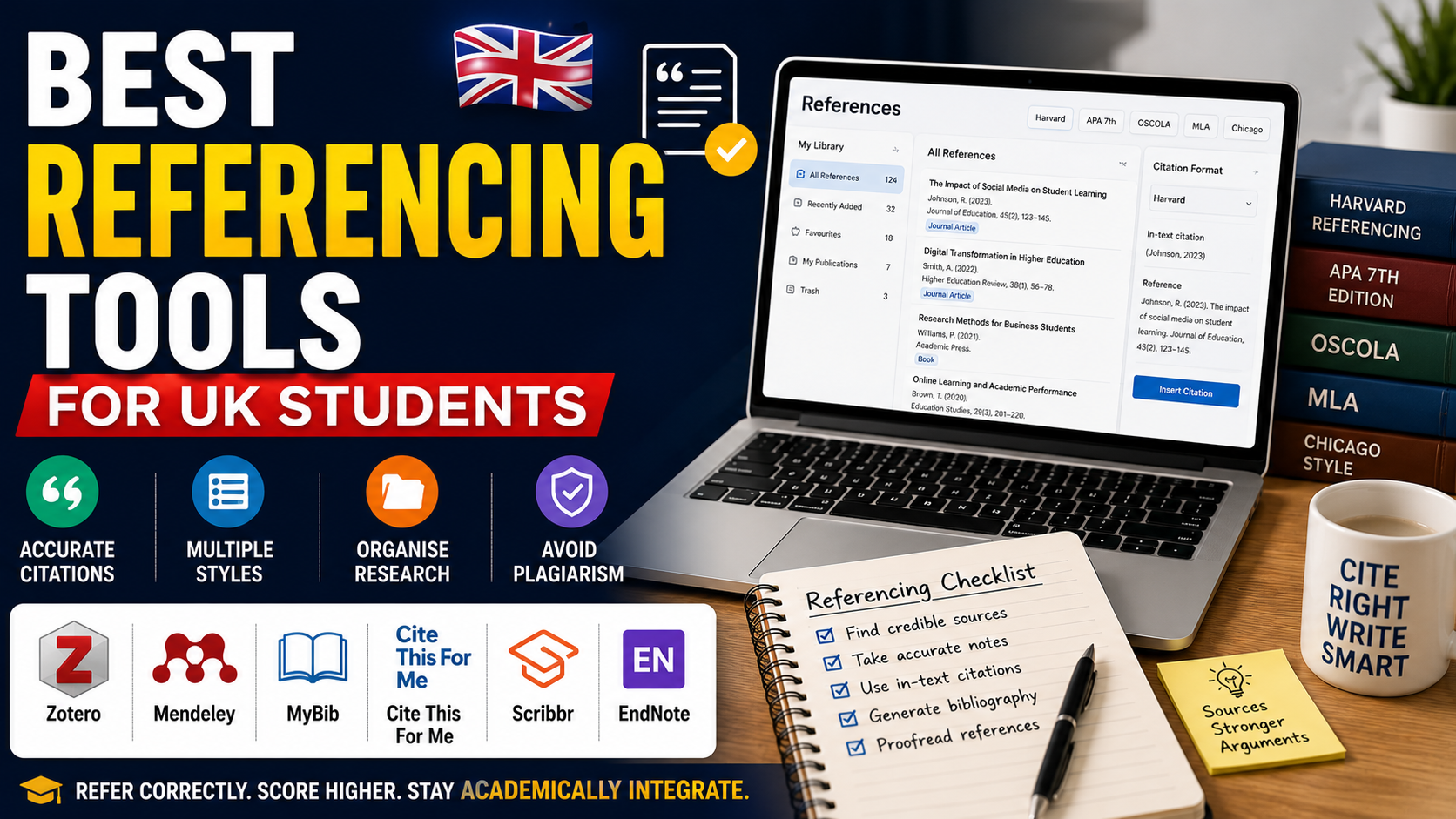
However, manually creating citations and reference lists can be time-consuming and confusing, especially when different universities require different referencing styles such as Harvard, APA 7th, MLA, OSCOLA, or Chicago.
Fortunately, modern referencing tools simplify this process by automatically generating citations, organising research materials, managing bibliographies, and integrating directly with word processors.
This guide reviews the best referencing tools for UK students, compares their features, explains their strengths and limitations, and helps you choose the right solution for your academic needs.
Why Referencing Matters
Referencing is more than simply listing books and journal articles.
It allows you to:
Credit original authors
Support academic arguments
Demonstrate research skills
Avoid plagiarism
Improve assignment credibility
Meet university assessment requirements
Incorrect referencing can lead to lost marks or even academic misconduct investigations.
Common Referencing Styles Used in UK Universities
Different universities and departments require different citation styles.
The most common include:
Harvard Referencing
Widely used across business, social sciences, education, and health disciplines.
APA 7th Edition
Common in psychology, education, nursing, and behavioural sciences.
MLA
Often used in English literature and humanities.
OSCOLA
Required for law assignments at many UK universities.
Chicago
Popular in history and some arts disciplines.
Always check your university's referencing guide before starting an assignment.
What Makes a Good Referencing Tool?
A high-quality referencing tool should:
Support multiple citation styles
Generate accurate references
Create bibliographies automatically
Import academic sources
Organise research
Sync across devices
Integrate with Microsoft Word or Google Docs
The best tool depends on your course requirements and research needs.
Zotero
Zotero is one of the most popular free reference management tools.
Features include:
Citation generation
PDF organisation
Browser extensions
Automatic metadata capture
Microsoft Word integration
Cloud syncing
Its flexibility makes it suitable for undergraduate and postgraduate students.
Best for: Research-intensive assignments and dissertations.
Mendeley
Mendeley combines reference management with academic networking.
Students can:
Organise journal articles
Highlight PDFs
Add annotations
Generate citations
Create bibliographies
Collaborate with researchers
It works particularly well for STEM subjects.
Best for: Scientific research and postgraduate study.
MyBib
MyBib is a free online citation generator.
It supports:
Harvard
APA
MLA
Chicago
OSCOLA
Students can quickly generate accurate references without creating an account.
Best for: Quick assignment referencing.
Cite This For Me
Cite This For Me offers simple citation generation.
Students can create:
In-text citations
Reference lists
Bibliographies
Always double-check automatically generated references before submission.
Best for: Undergraduate coursework.
Scribbr Citation Generator
Scribbr provides accurate citation tools alongside plagiarism and proofreading services.
Features include:
APA
Harvard
MLA
Chicago
It also offers helpful referencing guides.
Best for: Dissertation writing.
EndNote
EndNote is a professional reference management platform used by many researchers.
Features include:
Large research libraries
Collaboration
Journal formatting
Advanced citation management
Although powerful, it has a steeper learning curve than free alternatives.
Best for: Researchers and postgraduate students.
Microsoft Word Citation Manager
Microsoft Word includes a built-in citation feature.
Students can:
Add sources
Insert citations
Generate bibliographies
While convenient, it supports fewer advanced features than dedicated reference managers.
Best for: Simple assignments.
Google Docs Citation Tool
Google Docs now includes built-in citation support.
Students can generate citations using several styles directly within their documents.
Best for: Collaborative assignments.
AI Referencing Tools
Artificial intelligence can assist students by:
Identifying missing citations
Formatting references
Suggesting citation structures
Checking bibliography consistency
However, AI-generated references should always be verified because automated tools occasionally produce formatting errors or incorrect publication details.
Compare Free and Paid Referencing Tools
Free tools usually provide:
Citation generation
Basic reference libraries
Common referencing styles
Paid tools often include:
Collaboration features
Advanced PDF management
Larger cloud storage
Research organisation
Premium support
Most undergraduate students can successfully complete assignments using free tools.
Avoid Common Referencing Mistakes
Students frequently lose marks because they:
Mix referencing styles
Forget in-text citations
Use incomplete references
Miss page numbers
Reference unreliable websites
Fail to update automatically generated citations
Always review every reference before submitting.
Best Practices for Referencing
To improve accuracy:
Record sources immediately.
Save PDFs systematically.
Check every citation manually.
Follow university guidelines.
Use peer-reviewed research.
Proofread the bibliography.
Good referencing becomes easier with consistent practice.
Referencing Workflow
Step 1
Collect academic sources.
Step 2
Import them into your reference manager.
Step 3
Organise sources by assignment.
Step 4
Insert citations while writing.
Step 5
Generate bibliography.
Step 6
Proofread every reference.
Final Thoughts
Choosing the right referencing tool can significantly improve the quality and efficiency of your academic work. Whether you need a simple citation generator for undergraduate assignments or a comprehensive reference manager for dissertation research, today's digital tools make organising sources much easier. However, no tool replaces a solid understanding of your university's referencing requirements.
By combining reliable referencing software with careful proofreading and your institution's official citation guidelines, you can produce accurate bibliographies, strengthen academic integrity, and submit assignments with greater confidence throughout your university journey.
Frequently Asked Questions
Everything you need to know about our services
Related Posts

AI Tools That Help You Study Without Breaking University Rules (2026 Guide)

Best Note-Taking Apps in 2026: Organize Your Ideas, Notes, and Productivity
