Best Productivity Tools During Assignment Season (2026): 20 Tools to Stay Organised and Meet Every Deadline
Introduction
University assignment season can quickly become overwhelming. Multiple deadlines, research projects, presentations, exams, and group work often compete for your attention at the same time. Without a clear system, it's easy to miss deadlines, procrastinate, or feel stressed.
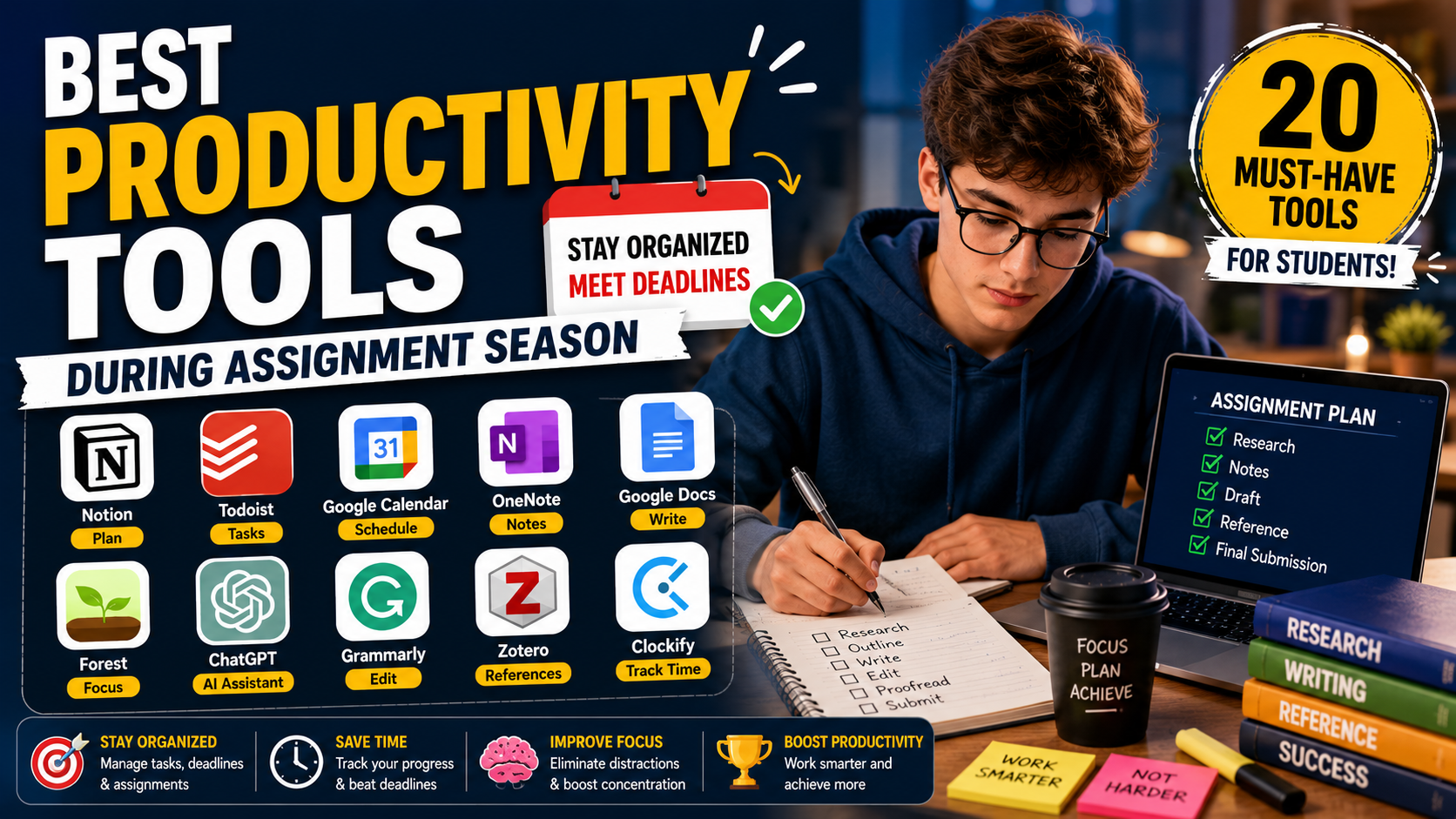
Fortunately, the right productivity tools can help you manage your workload more efficiently. From task managers and digital planners to AI assistants, focus timers, note-taking apps, and reference managers, these tools make it easier to stay organised and work more effectively.
In this guide, we'll explore the 20 best productivity tools during assignment season, explaining their features, advantages, limitations, and the students who will benefit most from each.
Quick Comparison Table
Tool | Best For | Free Plan | Platforms |
|---|---|---|---|
Notion | Assignment planning | ✅ | Web, Windows, macOS, iOS, Android |
Todoist | Task management | ✅ | Web, Desktop, Mobile |
Google Calendar | Scheduling | ✅ | Web, iOS, Android |
Microsoft OneNote | Lecture notes | ✅ | Windows, macOS, iOS, Android |
Google Docs | Collaborative writing | ✅ | Web, Mobile |
Forest | Focus sessions | Limited | iOS, Android |
Clockify | Time tracking | ✅ | Web, Desktop, Mobile |
Grammarly | Grammar checking | ✅ | Web, Desktop |
Zotero | Citation management | ✅ | Windows, macOS, Linux |
ChatGPT | Brainstorming & explanations | ✅ | Web, Mobile |
Why Productivity Tools Matter During Assignment Season
Assignment season often involves balancing multiple responsibilities. Productivity tools can help you:
Plan assignments and coursework.
Track deadlines and revision schedules.
Reduce procrastination.
Stay focused during study sessions.
Organise research materials.
Improve writing quality.
Manage references accurately.
Collaborate effectively on group projects.
Best Planning Tools
1. Notion
Best for: Organising assignments and study plans.
Key features:
Assignment trackers
Study dashboards
Project timelines
Revision planners
Collaborative workspaces
Pros
Highly customisable
Excellent free plan
Suitable for long-term projects
Cons
Initial setup requires time.
2. Google Calendar
Ideal for scheduling lectures, assignment deadlines, revision sessions, meetings, and personal commitments with reminders across devices.
3. Todoist
Perfect for breaking large assignments into manageable tasks, setting priorities, recurring reminders, and tracking daily progress.
Best Focus Tools
4. Forest
Encourages distraction-free study by rewarding focused work sessions and discouraging phone use.
5. Focus To-Do
Combines the Pomodoro Technique with task management to improve concentration.
6. Tide
Provides focus timers, ambient sounds, breathing exercises, and relaxation features.
Best Writing Tools
7. Grammarly
Checks grammar, spelling, punctuation, clarity, and tone before submission.
8. Microsoft Word
Offers professional formatting, review tools, comments, and citation features for academic assignments.
9. Google Docs
Excellent for collaborative assignments with automatic saving and version history.
Best Research & Referencing Tools
10. Zotero
Stores academic sources, organises PDFs, and generates citations in thousands of referencing styles.
11. Mendeley
Combines reference management with PDF annotation and research organisation.
12. Google Scholar
Search millions of peer-reviewed journal articles, books, theses, and conference papers.
Best AI Productivity Tools
13. ChatGPT
Useful for:
Explaining difficult concepts
Brainstorming ideas
Creating study plans
Improving writing clarity
Generating revision questions
Use AI responsibly and always follow your university's academic integrity policy.
14. Perplexity
Provides AI-assisted answers with linked sources for further research.
15. Gemini
Helps organise information, summarise content, and support study planning.
Best Time Management Tools
16. Clockify
Track how much time you spend researching, writing, editing, and revising.
17. RescueTime
Automatically monitors productivity and identifies digital distractions.
18. Toggl Track
Simple time tracking for assignments, projects, and coursework.
Best Collaboration Tools
19. Microsoft Teams
Useful for meetings, document sharing, and communication during group assignments.
20. Slack
Keeps project discussions organised with channels, file sharing, and integrations.
Best Productivity Tools by Category
Category | Best Tool |
|---|---|
Overall Productivity | Notion |
Task Management | Todoist |
Scheduling | Google Calendar |
Focus | Forest |
Writing | Grammarly |
Collaboration | Google Docs |
AI Assistance | ChatGPT |
Research | Google Scholar |
Referencing | Zotero |
Time Tracking | Clockify |
How to Build a Productive Assignment Workflow
A simple workflow can help you stay organised:
Plan all deadlines in Google Calendar.
Break assignments into smaller tasks using Todoist.
Organise notes and research in Notion.
Use Google Scholar to find academic sources.
Manage references with Zotero.
Draft assignments in Microsoft Word or Google Docs.
Check grammar with Grammarly.
Stay focused using Forest.
Track study time with Clockify.
Review and proofread before submission.
Productivity Tips During Assignment Season
Start assignments as early as possible.
Divide large tasks into smaller milestones.
Schedule focused study sessions.
Eliminate unnecessary distractions.
Review your progress weekly.
Back up important files regularly.
Prioritise sleep and regular breaks to maintain concentration.
Final Thoughts
Assignment season can be demanding, but the right productivity tools make it easier to stay organised, focused, and prepared. Rather than relying on a single application, build a workflow that combines planning, research, writing, referencing, collaboration, and focus tools.
For most university students, a combination of Notion, Google Calendar, Todoist, Google Scholar, Zotero, Microsoft Word, Grammarly, Forest, Clockify, and ChatGPT provides a balanced productivity system that supports every stage of the assignment process.
Frequently Asked Questions
Everything you need to know about our services
Related Posts

Best Study Apps for University Students (2026): 25 Apps to Study Smarter and Boost Your Grades

Best Citation Generators (2026): 15 Free & Paid Tools for Accurate Academic Referencing
