Assignment Cover Page Format with Free Template (2026 Guide)
Introduction
A well-designed assignment cover page is the first thing your professor sees before reading your work. While the content of your assignment carries the most marks, submitting it with a professional cover page creates a strong first impression and demonstrates attention to detail.
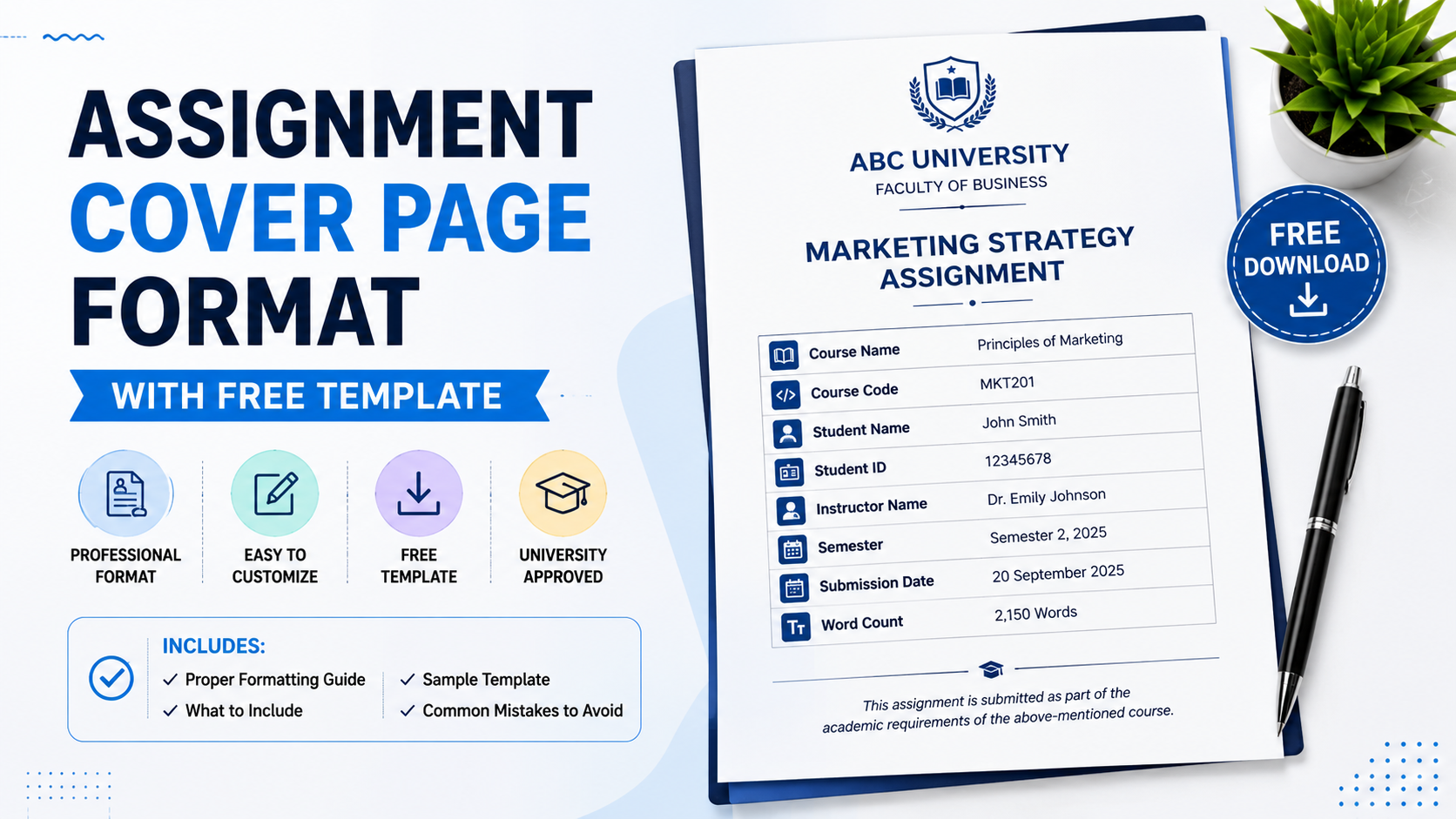
Whether you're studying at a university in Australia, the UK, the USA, Canada, or elsewhere, understanding the correct assignment cover page format can help you meet academic standards and avoid unnecessary deductions.
In this guide, you'll learn:
-
What an assignment cover page is
-
What information to include
-
Standard formatting guidelines
-
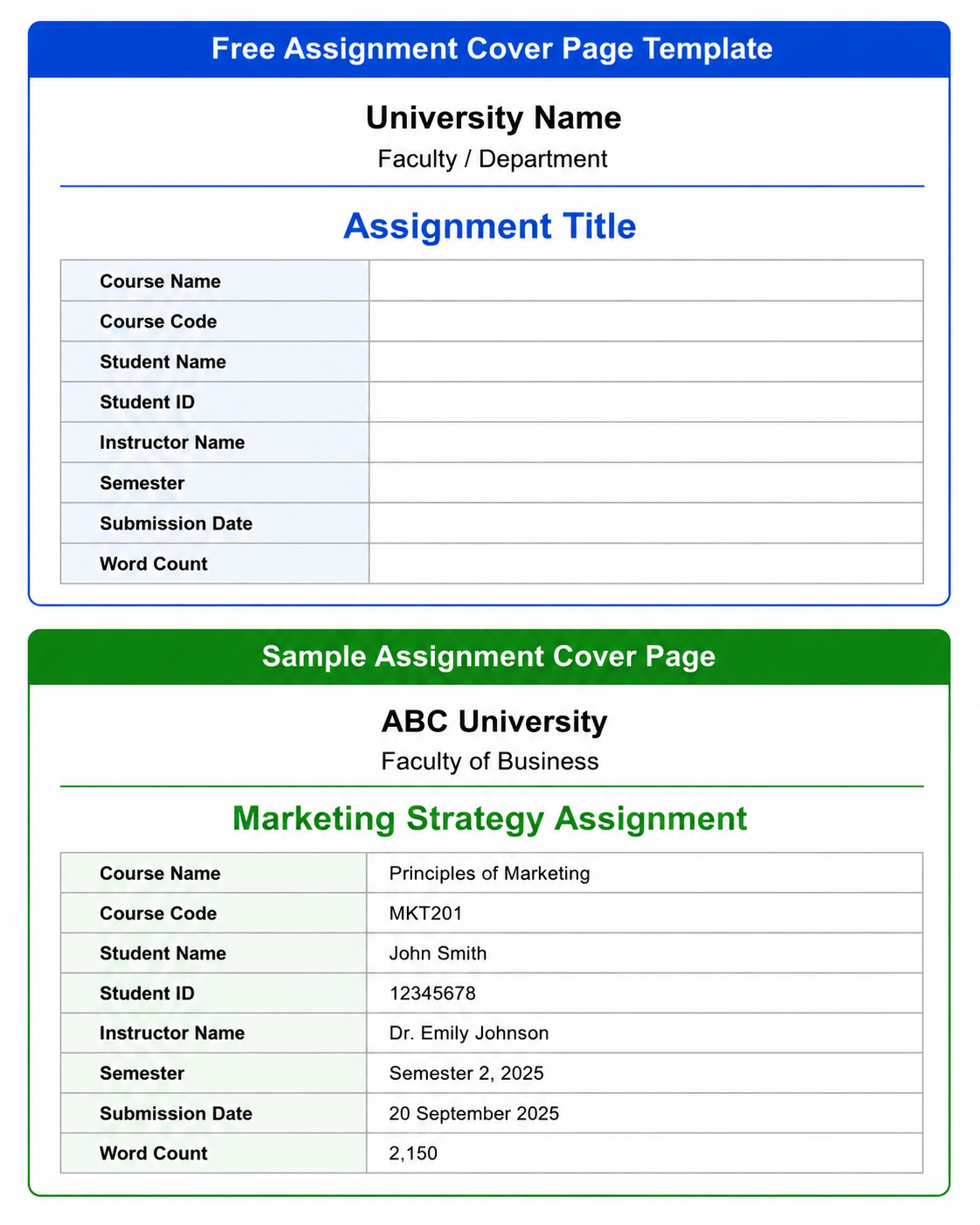
Free assignment cover page template
-
Sample cover page
-
Common mistakes to avoid
What Is an Assignment Cover Page?
An assignment cover page (also called a title page) is the first page of your academic assignment. It provides essential information that helps instructors identify your work.
Typically, a cover page contains:
-
Student Name
-
Student ID
-
Course Name
-
Course Code
-
Assignment Title
-
Instructor's Name
-
University Name
-
Submission Date
Many universities provide their own cover page template, while others allow students to create one following standard academic formatting.
Why Is an Assignment Cover Page Important?
A properly formatted cover page:
-
Creates a professional first impression
-
Makes your assignment easy to identify
-
Prevents confusion during grading
-
Demonstrates academic professionalism
-
Helps meet university submission requirements
Although it usually doesn't carry marks, an incorrect cover page may violate formatting guidelines.
What Should an Assignment Cover Page Include?
Here's the standard information most colleges require.
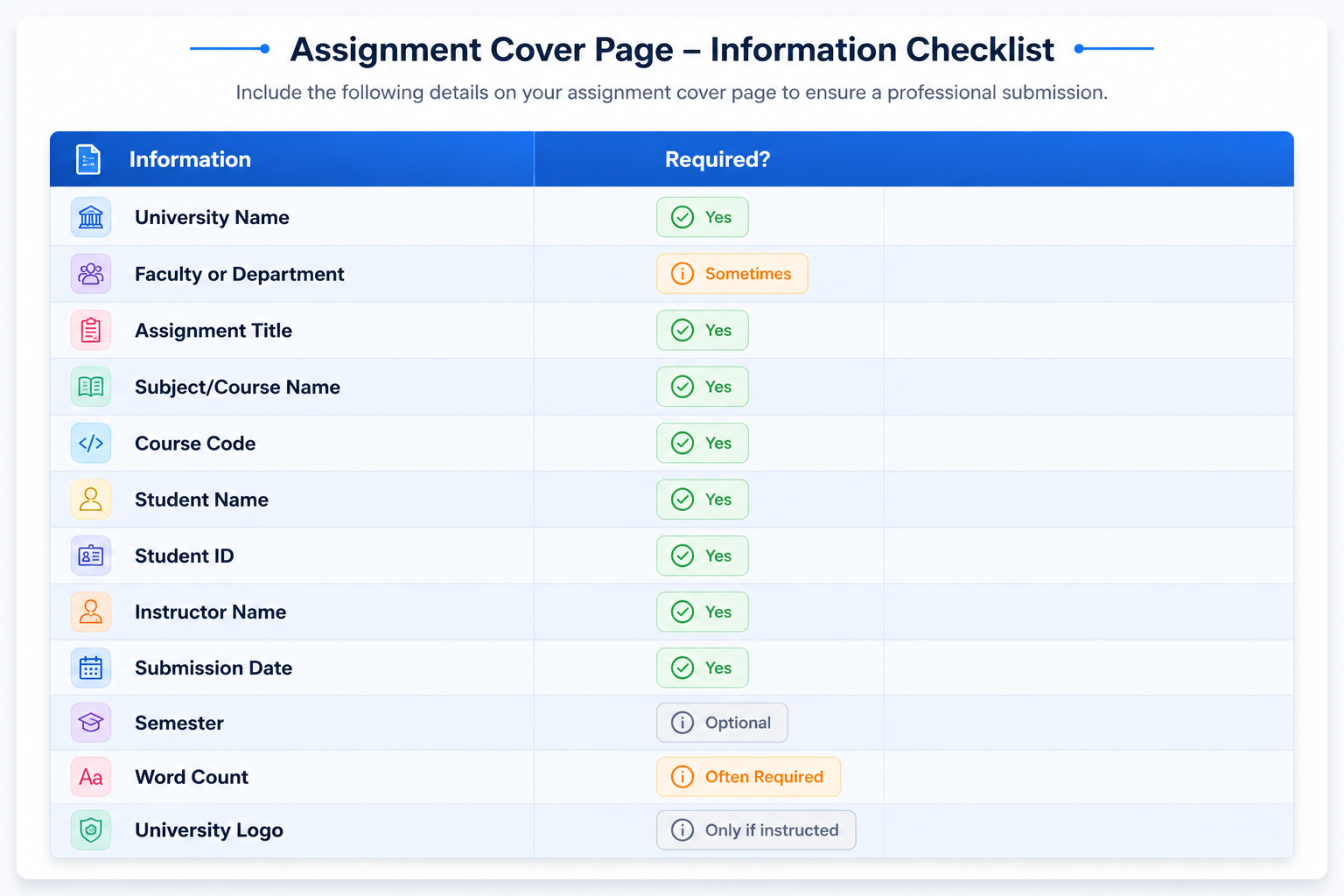
Standard Assignment Cover Page Format
Most universities recommend these formatting guidelines.
| Element | Recommendation |
|---|---|
| Font | Times New Roman or Arial |
| Font Size | 12 pt |
| Title Size | 16–18 pt Bold |
| Alignment | Center |
| Margins | 1 inch |
| Line Spacing | 1.5 or Double |
| Paper Size | A4 |
Assignment Cover Page Format for Different Citation Styles
APA 7 Cover Page
APA style generally includes:
-
Running head (student papers usually don't require one)
-
Page number
-
Assignment title
-
Student name
-
University
-
Department
-
Course number
-
Instructor
-
Due date
MLA Cover Page
MLA typically does not require a separate title page unless requested.
Instead, students include:
-
Name
-
Instructor
-
Course
-
Date
followed by the assignment title on the first page.
Chicago Style Cover Page
Chicago papers usually include:
-
Assignment title
-
Student name
-
Course
-
Instructor
-
Date
centered vertically on the page.
Common Assignment Cover Page Mistakes
Avoid these common errors:
❌ Missing student ID
❌ Incorrect course code
❌ Wrong instructor name
❌ Spelling mistakes
❌ Decorative fonts
❌ Using colors
❌ Adding unnecessary graphics
❌ Missing submission date
Assignment Cover Page Checklist
Before submitting, confirm that:
✅ Assignment title is correct
✅ Student name matches university records
✅ Student ID is accurate
✅ Course code is correct
✅ Instructor name is correct
✅ Submission date is updated
✅ Word count is included (if required)
✅ Font and spacing follow university guidelines
Tips to Create a Professional Cover Page
-
Follow your university template whenever available.
-
Keep the layout simple and clean.
-
Use only professional fonts.
-
Double-check names and dates.
-
Don't overcrowd the page.
-
Save the document as a PDF before submission if instructed.
Final Thoughts
A professional assignment cover page helps present your work in an organized and academic manner. While it may seem like a small detail, it reflects your attention to presentation and adherence to university guidelines. By including the correct information, following standard formatting rules, and using a clean layout, you can ensure your assignment starts with a strong first impression.
Whether you're submitting your first college assignment or your final university project, using a well-structured cover page template can save time and help you meet academic expectations.
Frequently Asked Questions
Everything you need to know about our services

